
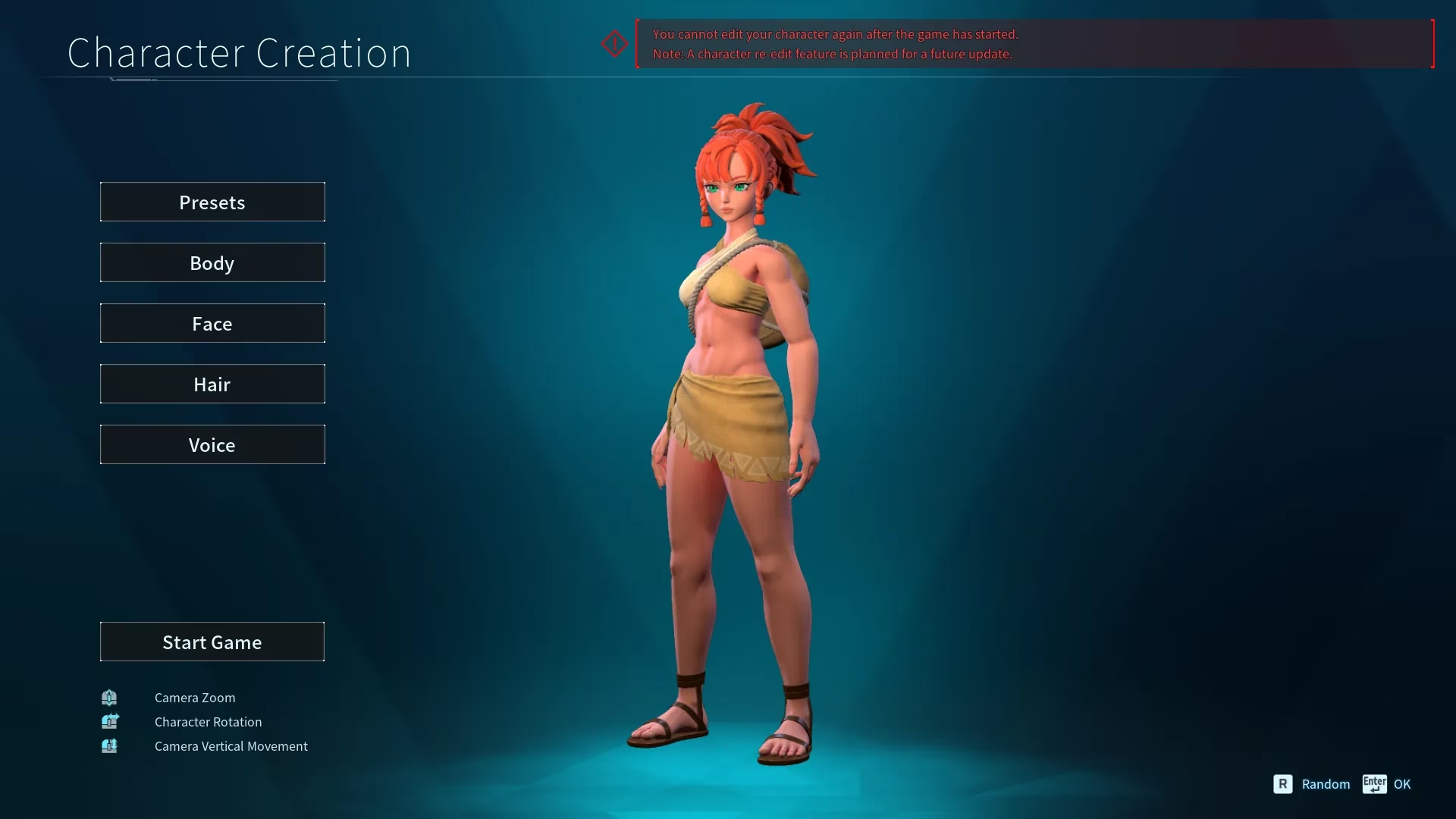
In Palworld, character creation is the first step players must complete before heading into the strange islands of the archipelago. The initial customization suite offers a variety of styles, colors, and body options, allowing survivors to build an avatar that feels personal. However, naming is a different story. On some platforms, players can set a character name during creation, but on others, that option is missing. In 2026, this uneven naming system remains one of the more frustrating quirks of the game, especially for anyone who regrets a rushed choice.
The Core Limitation: No Native Rename for Existing Characters
As of 2026, Palworld still does not offer a built-in way to rename an existing character. Once a player confirms a name, that name is locked to the save. There is no in-game menu, no NPC service, and no official item that can alter it. The same restriction applies to a character's appearance, meaning the avatar's face, body, and style are also permanent after creation. This design choice puts heavy weight on the initial creation screen.
Pocketpair has indicated plans to introduce a re-edit feature in a future patch. That feature could eventually allow players to adjust both name and appearance. However, no universal rename option has been deployed for all platforms. Until such a system arrives, players must either accept their original choice or use a more drastic workaround.
Platform Differences: Steam vs. Xbox Game Pass
The naming situation is not identical across platforms. Palworld on Xbox Game Pass differs from the Steam version, and that difference affects character naming. On Steam, players can generally name their character during the creation process. On Xbox Game Pass, that feature has not been available, leaving some players with a default or unchangeable name. This disparity has been a source of confusion since launch.
| Feature | Steam Version | Xbox Game Pass Version |
|---|---|---|
| Set character name at creation | ✅ Available | ❌ Not available in the same way |
| Rename existing character | ❌ Not available | ❌ Not available |
| Rename Pals | ✅ Available via Edit | ❌ Not available so far |
| Change character appearance | ❌ Not available | ❌ Not available |
This table highlights the main pain point: character names are effectively permanent. Even Pal names, which are editable on Steam, may not be editable on Xbox Game Pass. Players on that platform have fewer naming options overall.
Renaming Pals: The Only Editable Names
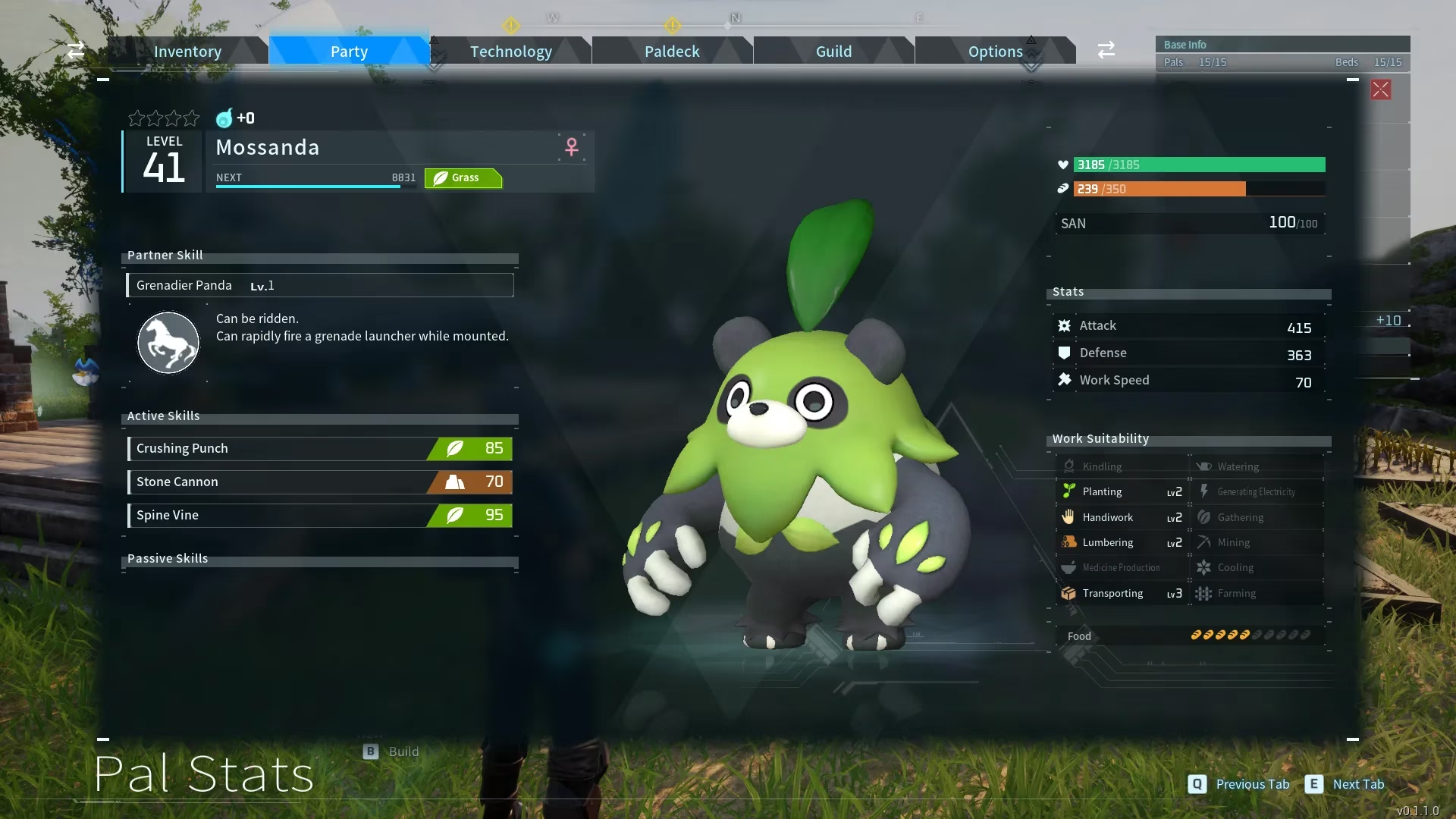
The only names that can currently be changed are those of a player's Pals. To rename a Pal on supported versions, players can follow a simple process:
-
Open the Options screen.
-
Select the Party window.
-
Choose the Pal that needs a new name.
-
Look for a large, blue Edit button next to the Pal's name.
-
Enter the desired nickname and confirm.
If the Edit button does not appear, the Pal may need to gain a level first. Players can level a Pal by fighting hostile creatures or by assigning it to work at the base. Once the Pal levels up, the rename option should become available. Again, Xbox Game Pass players may not see this feature at all, which adds to the platform's limitations.
Workarounds for Changing a Character Name
Because there is no direct rename option, players have only a few ways to effectively change a character name. Each comes with a cost.
1. Join a Different Server or Start a New World
If a player joins a different server, they will create a new character. That means a fresh start, including a new name and appearance. However, all progress tied to the old character is left behind. This is the cleanest way to get a new name, but it is not a true rename.
2. Delete the World Save and Start Over
As a last resort, players can delete their world save file and begin again. The process is straightforward:
-
Return to the main menu.
-
Select the world to be deleted.
-
Choose the Delete World option.
-
Type DELETE in all capital letters in the confirmation box.
-
Confirm the deletion.
This erases the save file completely. It is a harsh solution, but it does allow a complete reset, including a new character name.
3. Wait for a Future Re-Edit Feature
Pocketpair has expressed interest in adding a re-edit feature. If that update arrives, it may finally give players a safe way to change their name and appearance without losing progress. Until then, waiting is the only non-destructive option.
Practical Tips for New Players in 2026
Because names and appearances are so difficult to change, players should treat character creation as a long-term decision. A few practical tips can help:
-
Choose a name that still feels appropriate after dozens of hours.
-
Avoid names tied to temporary trends, memes, or inside jokes that may age poorly.
-
On Steam, set the name during creation if the option appears.
-
On Xbox Game Pass, be aware that naming options may be limited from the start.
-
Rename Pals as soon as the Edit button becomes available, since that is the only editable name category.
-
Back up save files before deleting a world, if the platform allows it.
-
Check official patch notes for any new re-edit or rename features.
The Bottom Line
Palworld gives players a rich character creator, but it withholds one of the most basic customization tools: the ability to rename an existing character. In 2026, the core rule remains unchanged. Character names are locked after creation, appearances are locked alongside them, and only Pals can be renamed on supported versions. Workarounds exist, but they require starting over or deleting a world. Pocketpair's planned re-edit feature could eventually solve the problem, but until it is released, players should choose their names and looks with care. For now, the safest path is to treat the first creation screen as a final decision, not a draft. 🎮
Comments