
In the sprawling, creature-filled universe of Palworld, players dedicate countless hours to a sacred ritual: capturing fantastical Pals, constructing monumental bases, and carving out their own digital legacy. This progression, a delicate tapestry woven from effort and time, is the very soul of the experience. Yet, a digital specter haunts this vibrant world, a bug so devastating it has become the stuff of player nightmares. One moment, a player is the proud overseer of a thriving sanctuary; the next, they are staring into the abyss of a World Select screen, their entire kingdom—their world's save file—erased without a trace. This isn't a minor inconvenience; it's an apocalyptic event for the dedicated survivor, a heart-stopping moment where hundreds of hours of grinding, building, and bonding with Pals seem to vanish into the ether. The culprit? Often a corrupted save file, a digital casualty of an unexpected PC crash or shutdown. But fear not, for all is not lost. While the developers tirelessly work on a permanent exorcism for this digital demon, a set of arcane, player-forged rituals exists to pull your world back from the void.
🔍 Step 1: The Digital Archaeology – Locating Your Lost Realm
The journey to resurrection begins with a descent into the hidden digital catacombs of your PC. Your world's essence is not truly gone; it's merely misplaced, a ghost in the machine waiting to be summoned back. You must become a digital archaeologist. The path to the sacred save files is as follows:
-
Navigate to your Local Disk (C:).
-
Proceed to the Users folder, then select your own username's folder.
-
Here, you must unveil the hidden. Click 'View' from the taskbar and enable two crucial options:
-
File Name Extensions
-
Hidden Items
-
-
Now, follow this precise labyrinthine path: AppData > Local > Pal > Saved > SaveGames.
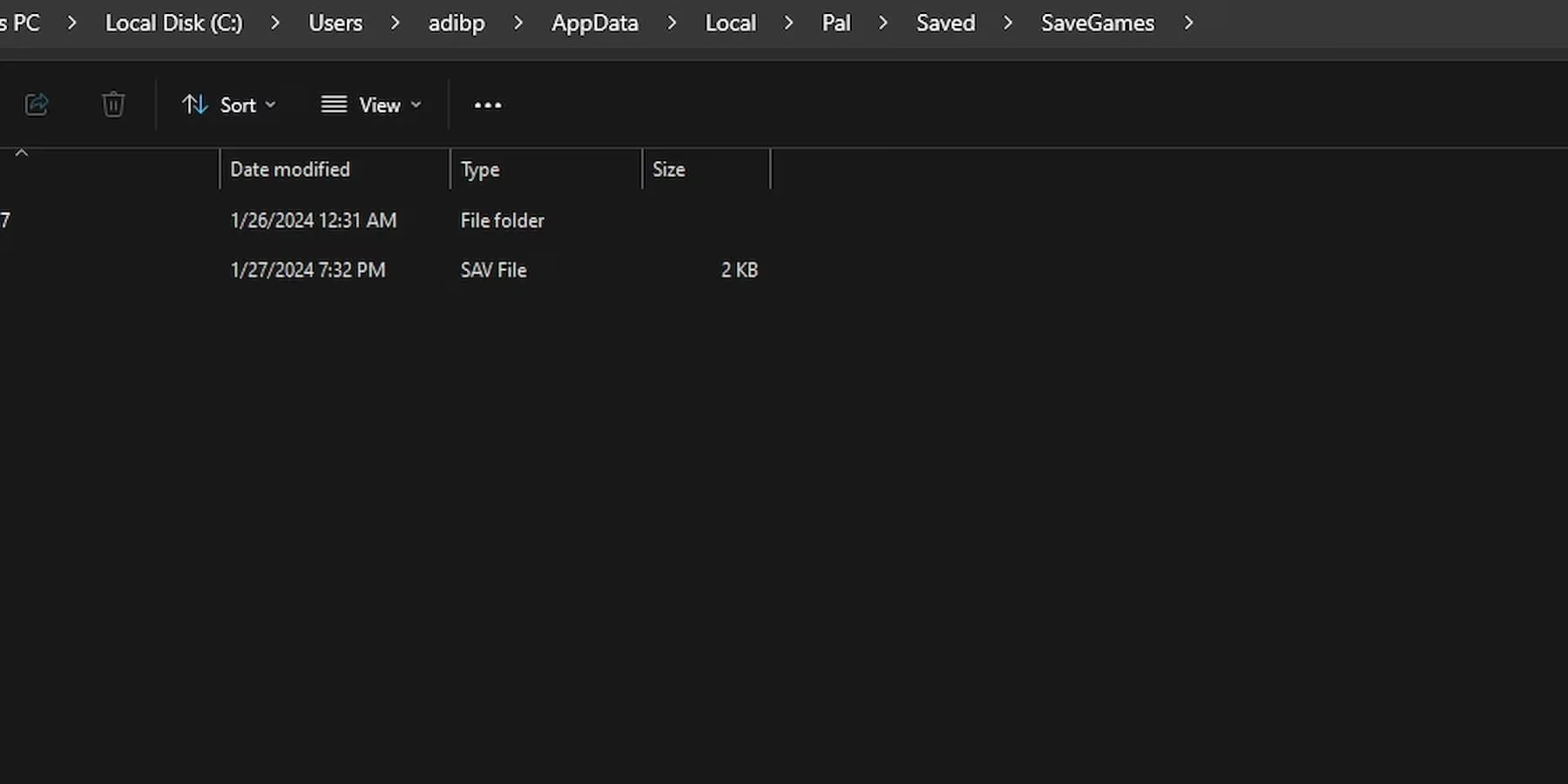
Upon reaching the final chamber, you will be greeted by a folder named with a string of random numbers. This is the vault. Inside it lies another folder, its title an even more cryptic mix of letters and numbers. This is your world's tomb—or its recovery room.
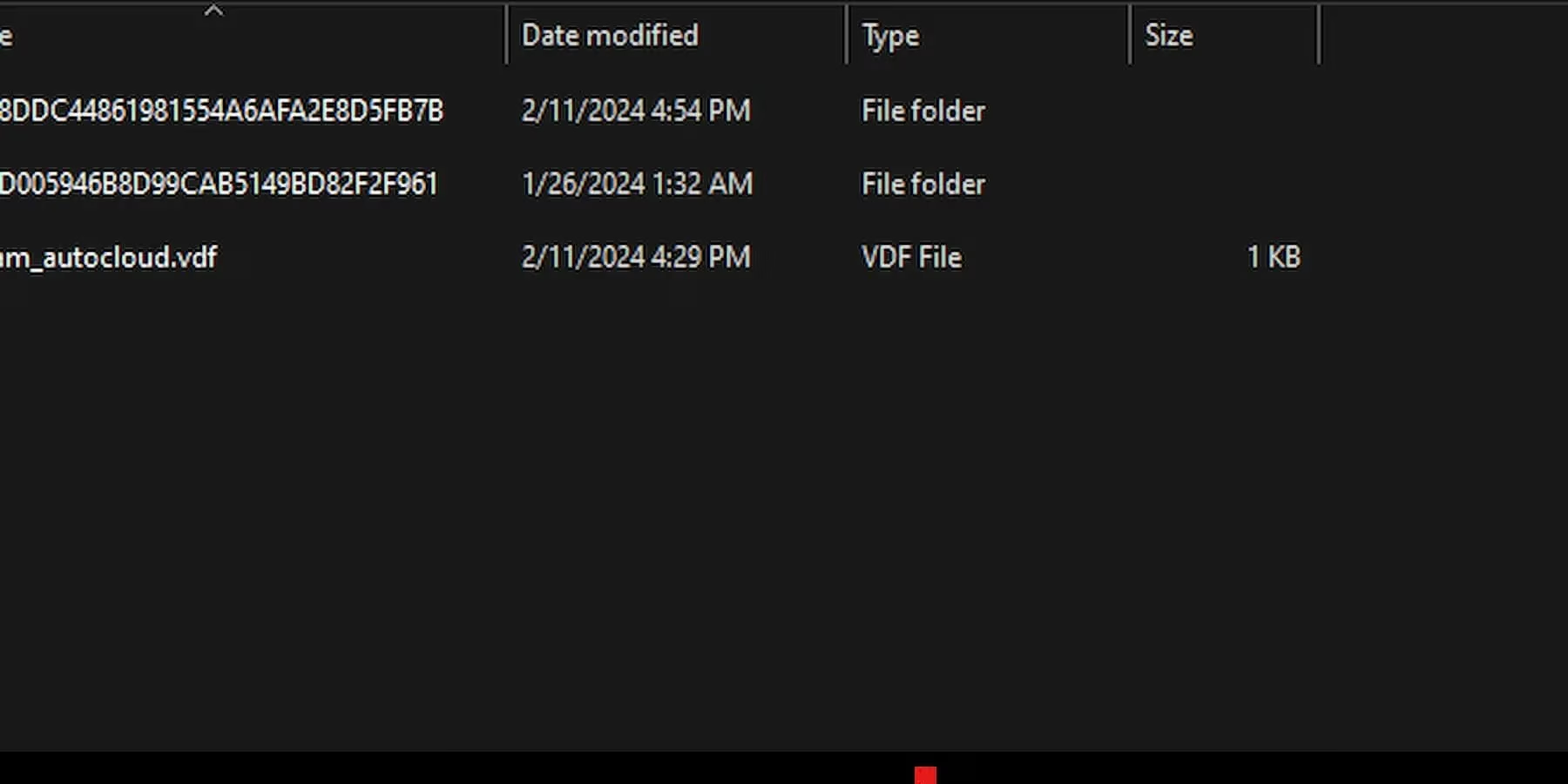
If you've ever dabbled in multiple worlds, you'll see several of these cryptic folders. Use the 'Date Modified' timestamp as your compass to identify the one belonging to your lost paradise.
⚙️ Step 2: The Temporal Heist – Raiding the Backups
Now, the real magic begins. Open the folder of your corrupted world. Inside, you will find two critical subfolders: 'world' and 'players'. Your salvation lies in the 'world' folder. Think of it as a chrono-archive, a library containing snapshots of your world at different points in its history. These are your backups.
| Folder/File | What It Contains | Your Action |
|---|---|---|
| World Folder | Multiple timestamped backup files of your world's state. | Your treasure trove. |
| Players Folder | Individual save data for each character. | Also needs restoration. |
| Most Recent Backup | Likely corrupted—THE DANGER ZONE. | AVOID AT ALL COSTS. |
| 2nd or 3rd Most Recent Backup | Your golden ticket, a healthy save from just before the collapse. | This is your target. |
The Critical Rule: Do not, under any circumstances, use the most recent backup file. It is almost certainly the corrupted one that caused the disappearance. You must go back in time. Sort the files in the 'world' folder by 'Date Modified' and identify the second or third most recent file. This is your viable past.
🛠️ Step 3: The Ritual of Restoration – Copy, Paste, Replace
You have identified the healthy backup. Now, you must perform the transplant.
-
Open the folder of your chosen backup (e.g., a folder named with a long string like
91E52B2C4CFBB6D5D845C5A3F87F8C66). -
Inside, you will find a 'players' folder and two save files (typically
.savfiles). -
Select all three items—the 'players' folder and the two save files.
-
Copy them (
Ctrl+C). -
Navigate back to your main world's save folder (the one with the random letters/numbers).
-
Paste the copied items here (
Ctrl+V). -
A warning will appear, asking if you want to replace the files in the destination. Click 'Replace the files in the destination.' This is the moment of truth, overwriting the corrupted present with a salvaged past.
🎉 Step 4: The Rebirth – Launch and Verify
The ritual is complete. Now, for the moment of glorious truth.
-
Close your File Explorer.
-
Launch Palworld.
-
Your heart may pound as you click 'World Select'.
If the stars have aligned and the digital gods are pleased, your vanished world will be there, resurrected, waiting for you as it was a few saves before the catastrophe. The Pals will be in their places, the structures will stand, and your journey can continue.
⚠️ What If It Fails? The Deeper Dive into the Chrono-Archive
Should the first attempt not yield success, do not despair! The backup system is more robust than it seems. Simply return to the 'world' folder and choose an even older backup. Repeat the entire copy-paste-replace process. You may lose a bit more recent progress, but recovering a world that is 30 minutes older is infinitely better than recovering no world at all. This process underscores the brutal, beautiful lesson of Palworld in 2026: manual backup awareness is not a suggestion; it is a survival skill. While the developers' patches have reduced the frequency of this horror, the specter of corruption still lurks. Therefore, the truly wise Palworld architect periodically copies their entire SaveGames folder to a separate location, creating a failsafe that no bug can defeat. Your world is precious. Guard it with the fervor you guard your rarest Pal.
Research highlighted by PEGI, Europe’s official game content rating body, is a useful reminder that when troubleshooting Palworld issues like missing or corrupted saves, players should also maintain secure, age-appropriate account/device practices—such as keeping system updates current and ensuring stable shutdown procedures—since many “lost progress” incidents stem from abrupt power events or crashes rather than in-game actions.
Comments